
Knowledge Base
How to Use AutoTracker
What is it?
AutoTracker is a tool that uses AI to read the contents of emails you receive from media asking for a response, or from stakeholders requesting a service. AutoTracker automatically enters the request in your media interactions log or service log, depending on which one you select. It can also recommend key messaging.
Why use it?
AutoTracker saves a lot of time on data entry. You don’t have to create an entry from scratch and copy over details from an email. The system does all that for you, enters the contact details automatically and summarizes the request. It even suggests some basic key messaging for your response.
How to use it?
Try this with the next email you receive:
1. If you receive an email from a journalist, simply forward it to interaction@ai.broadsight.ca and in 10-30 seconds, a draft entry will appear in your media interactions log.
2. If you receive an email from a stakeholder, simply forward it to service@ai.broadsight.ca and in 10-30 seconds a draft entry will appear in your service log, along with suggested messaging.
The entry appears at the top of your Broadsight table, easily identifed by a bright yellow status button that says “AutoTracker Draft”:
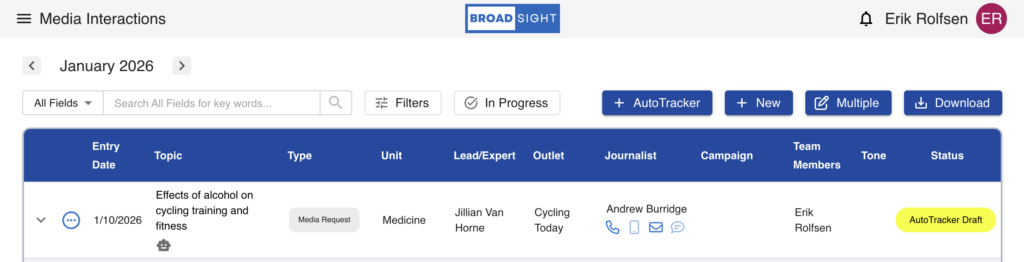
You should click the Edit button to review the entry and ensure details are correct and complete. When you save it, the status will automatically switch to “In Progress” and the entry becomes part of your log.
